A behind-the-scenes look at how we're building a diegetic, cozy pixel art HUD, from time-of-day sprites to the day counter problem.
One of our artists, Kyubi, just shared the UI of Derby Creek on the PixelArt subreddit and it went viral with roughly 250k views, 6k upvotes and over a hundred comments within 24 hours. We wanted to share some more details about what goes into designing an interface like this one.
When you sit by a real creek at sunrise, you don't check a status bar to know what time it is. You look at the sky. The light tells you everything.
That's the problem we kept running into as we started designing the UI for Derby Creek. A roguelike needs information. You need to know your score, your currency, what day of your trip you're on, how many casts you have left. But Derby Creek is also supposed to feel like a quiet morning at the water. The moment a flat, generic menu pops up on screen, that illusion breaks. The creek disappears and you're just playing a game with a spreadsheet on top of it.
So we went back to the question: what if the UI felt like it was already at the creek with you?
The Porthole Window
The first thing we tackled was time of day.
In Derby Creek, time matters. Morning, Midday, Evening, and Night each bring different fish to the surface, different weather patterns, different moods. If a player doesn't know what time it is, they can't make informed choices about where to cast or what to rig up.
The easy solution is a clock icon. Maybe a sun-and-moon cycle bar across the top of the screen. Clean, readable, done.
We didn't do that.
Instead, our amazing pixel artist designed a circular wooden-framed porthole, like the kind you'd find on a boat or nailed to the wall of an old fishing cabin. Inside the frame, you see the actual sky. Dawn, with warm light breaking through clouds. High noon, bright and cloudless. The orange glow of sunset over the water. A crescent moon rising against deep blue night.
You don't read the time. You feel it.
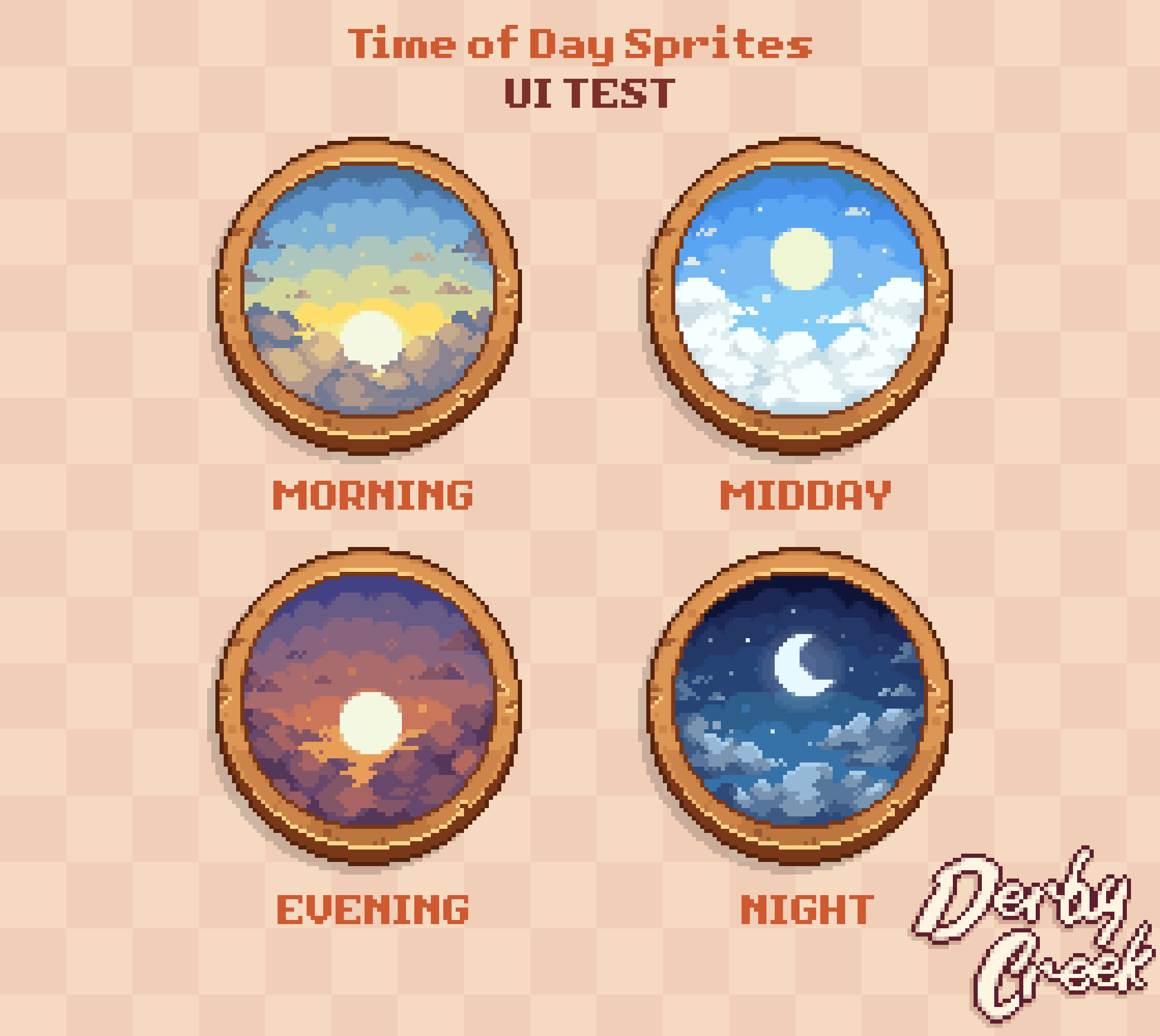
We're still testing how these integrate into the full HUD, but we're pretty confident in the concept. The porthole isn't a clock. It's a window. And it belongs at the creek.
Four Skies, Four Feelings
Each time-of-day sprite is doing more than showing a sky, it's setting an expectation.
Morning has that hazy golden warmth, the kind of light that makes even early risers feel calm. Fish in Derby Creek behave differently in the morning, surface feeders are more active, the creek is quiet. The sprite should make you feel that before any text ever tells you.
Midday is bright and open, clouds catching sunlight. It's the middle of your trip, sun overhead, the kind of hour where you start wondering if you've been here too long or not long enough.
Evening hits different. The sky goes amber and rust. Fish start moving toward the edges. There's a slight urgency to it, not panic, but the feeling that the day is wrapping up and you want one more good cast.
Night closes things out with the moon and clouds. Legendary fish are more likely to surface at night in our current design. The sprite earns that feeling. When you see the crescent moon in that porthole, you know something rare might be out there.
The Day Counter Problem
Here's where we're still figuring things out.
Derby Creek runs across 7 in-game days, with 4 fishing trips per day. That's 28 total trips per run. It's a meaningful structure and players need to feel where they are in it. Day 1, Trip 1 is a completely different headspace than Day 7, Trip 3.
Our pixel artist mocked up four different approaches to showing this:
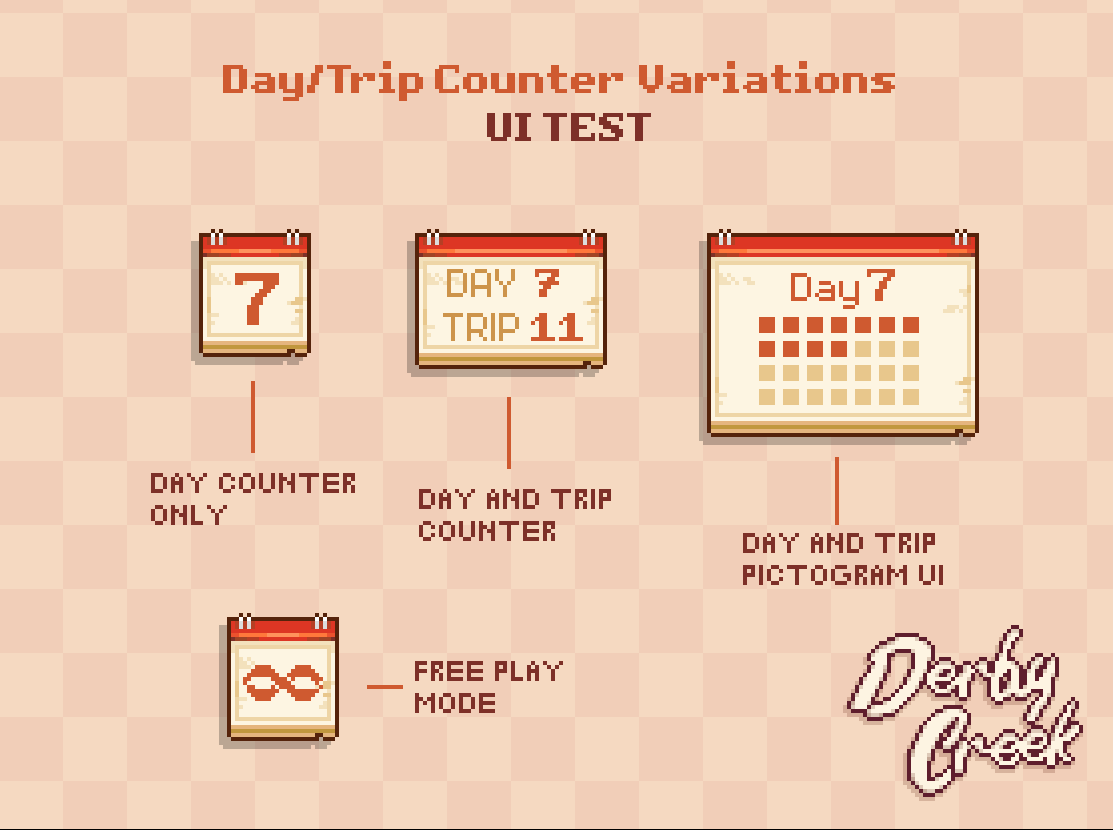
- Day Counter Only: a simple flip calendar showing the day number. Clean, minimal, tells you the day but not the trip.
- Day and Trip Counter: the calendar shows 'Day 7 / Trip 11' in text. More information, slightly busier.
- Day and Trip Pictogram UI: a full calendar grid where each trip is a small square, filled squares showing progress. A lot of information at a glance, but visually dense.
- Free Play Mode: the calendar shows an infinity symbol. No counter, no pressure. Just the creek.
Each option has a real argument behind it. The pictogram is the most honest representation of where you are in a run, but it might be too much to look at 28 times per playthrough. The simple day counter is elegant but loses the trip context. The text version is a middle ground. We're still working through which one earns its place in the HUD.
Putting It Together
Once we had the porthole window and the calendar, we started assembling the full HUD cluster.
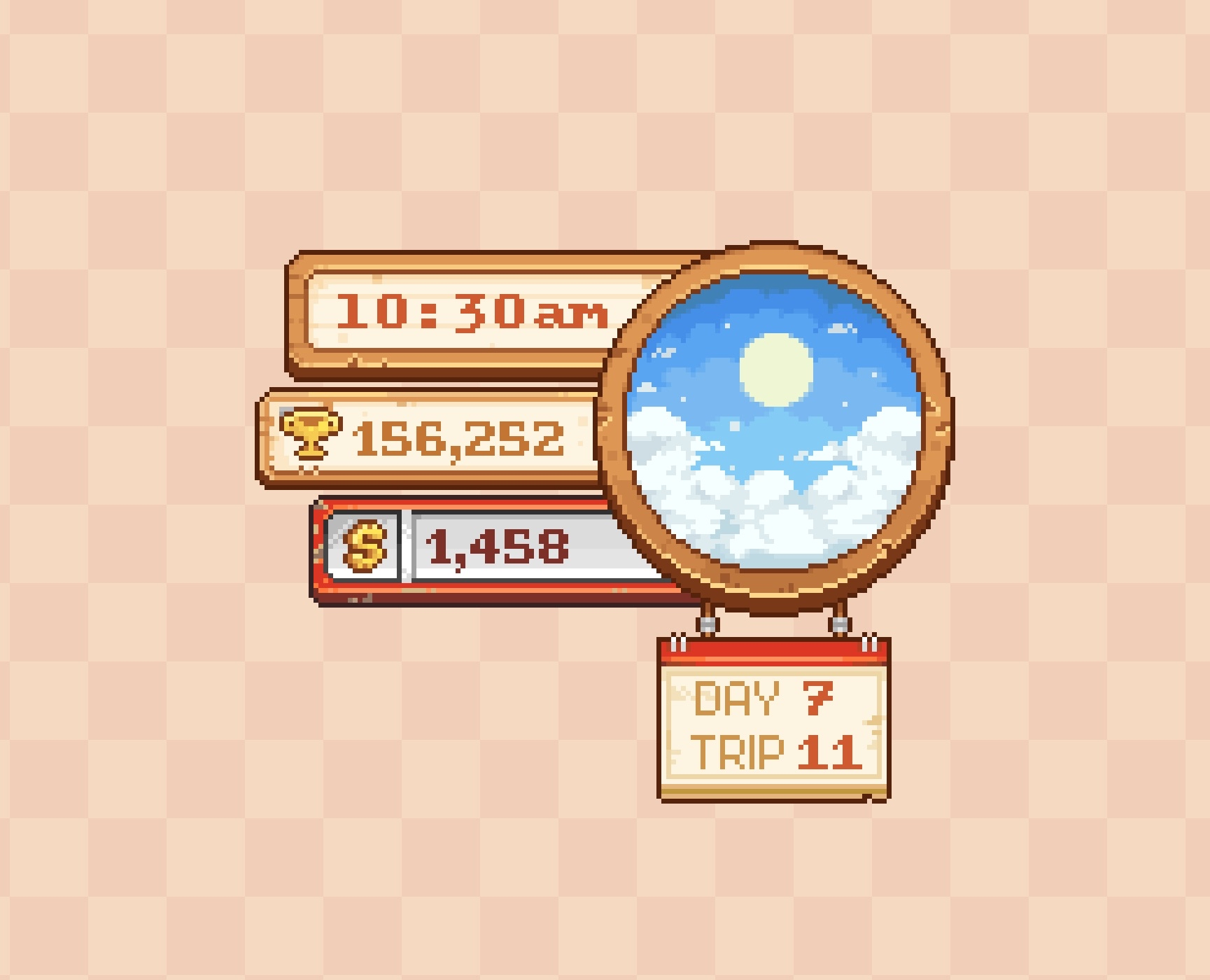
Right now we're testing a layout where the porthole sits to the right, the time stamp (10:30am) stacks to the left of it, and below that you get your current score and your currency. The calendar hangs underneath the whole assembly, a little physical tag dangling from the frame.
Every element is wooden. Framed. Tactile. The score counter looks like it's mounted on a plaque. The currency display has a coin icon that feels hand-stamped.
It's supposed to feel like something that exists in the world of the game, not like a layer we painted on top of it.
What's Still a Test
We want to be honest: these are mockups. UI test sheets. Nothing you're seeing here is final or in-engine. We're still working through how these elements animate, scale, and behave when the game is actually running.
What we do have is a working sense of how the transitions should feel. Our pixel artist put together an early animation pass showing the time-of-day porthole cycling through the four states.
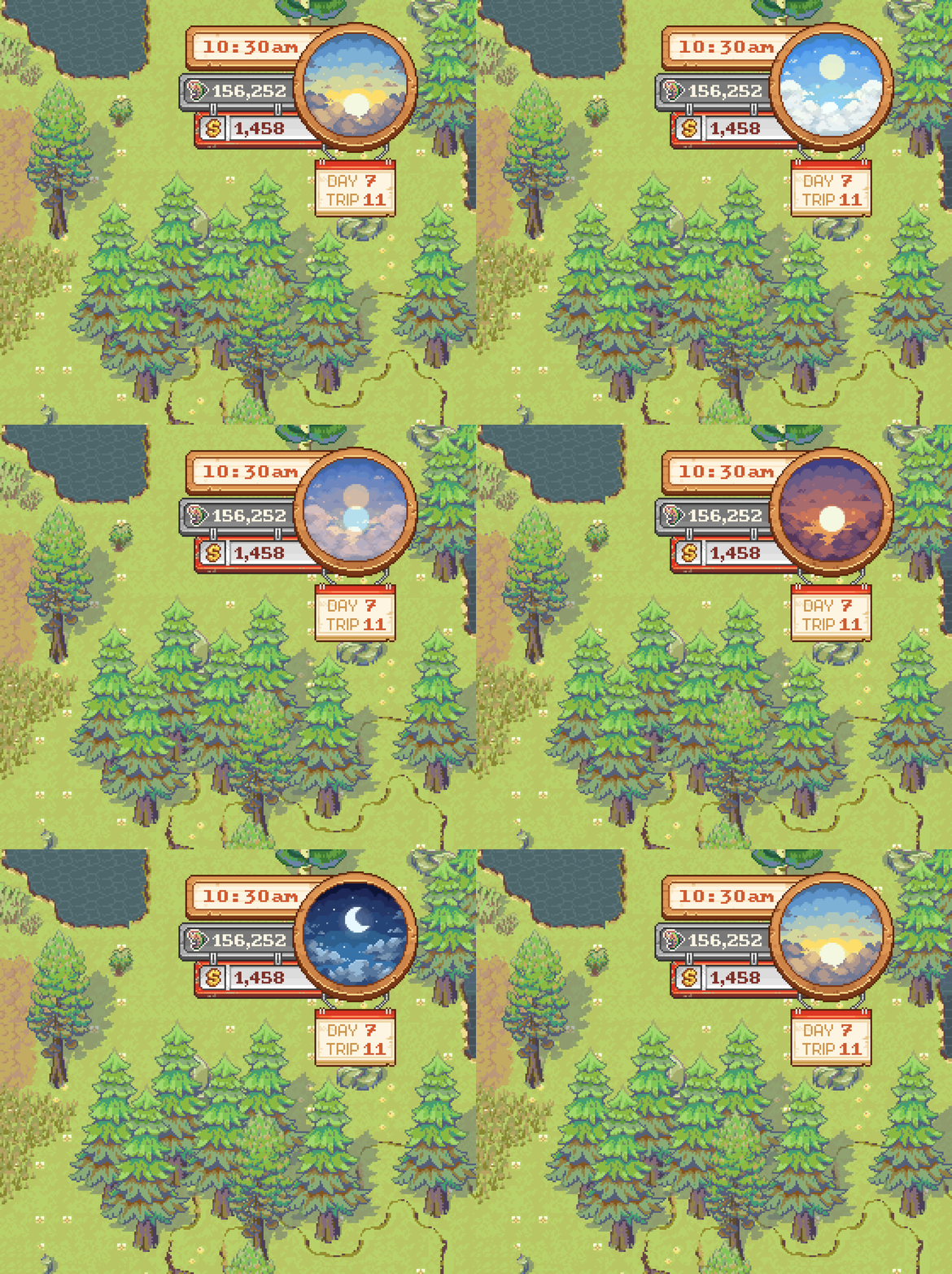
That smoothness is what we're chasing. When Morning becomes Midday, it shouldn't feel like a swap. It should feel like time passing.
There's a lot of work still ahead. But this is the direction we're building in, and we wanted to share where we are.
Our Kickstarter pre-launch is approaching fast. By following us on Discord now, you'll be able to join our community, get access to behind-the-scenes development updates, merch giveaways, and direct chats with the dev team.
Join our Discord